Get 20% Off to all our products. Coupon Code : PRKN20

HubSpot offers a full platform of marketing, sales, customer service, and CRM software — plus the methodology, resources, and support — to help growth in businesses. This is mostly used for marketing purpose and to run different marketing campaigns.

Also Contact form 7 is most commonly used contact form plugin to create a contact form in WordPress sites. So most of the WordPress users who are using Contact form 7 for the contact form and wants to send their visitors or clients data to the HubSpot, they need to use third-party integrations which needs technical knowledge and skills. So to overcome these all burden, here is a simple plugin Contact Form 7 to Hubspot by WPOP that connects your contact form to your hubspot account easily within a minute. You can send your contact form data easily to your hubspot including Name, Email, Phone, Company Name etc.

Here are few easy steps to use this plugin to your WordPress site:

  • Go to your Dashboard > Plugins > Add New then search for “Contact Form 7 to Hubspot by WPOP” then install and activate the plugin. (Note: You must have contact form 7 plugin installed and activated.)
  • Then create your contact form and go to Hubspot tab to configure API settings.
  • Then assign your form fields to send your data to Hubspot.

That’s all simple steps can send your contact form data to your HubSpot contact list and you can run your marketing campaign for your clients to grown your business.

Also the premium version of the plugin includes much more features like :

  • Adds contacts in “Hubspot” through “Contact Form 7”.
  • Adds Contacts to unlimited List ID’s.
  • Option to select “Contact Form 7” fields for “Hubspot” list.
  • Option to add Unlimited Fields.
  • Life Time Free Updates & Support.

This blog is for anyone who is running online stores and always trying to attract customers with new deals and offers to increase sales. When you are running an online store, only a beautiful website and your products are not enough to make good revenue. You really must have invested some amounts on marketing and other stuff. But still unable to get the output as expected. 

Today you will learn some of the best online tricks which is practiced by many online businesses and will directly help you to increase your revenue.

If you show your sales notifications to your customers then there is a high chance of increasing trust to your brand. Here what I mean is just show your visitors that your product is being purchased by someone from somewhere. By showing such notifications will increase your revenue. This method is already being applied by many online stores.

How To Show The Sales Notification?

When any challenges come to WordPress then there is a plugin to solve this. We have a very powerful and beautiful plugin for this purpose, “Salert”  The plugin will help you to show your visitors with sales notifications. Don’t worry this is a free plugin you can use it for a lifetime with regular updates.

The plugin comes with many customization options, which makes this plugin even more flexible. Let’s find out some of the cool features available with the plugin.

Features Of Salert (Free Version)

  • Create Fake Sales notification to visitors
  • Animation Options
  • Define position to display notifications
  • Lifetime free support & regular updates
  • & many more

Features Of Sale Alert (Premium Version)

  • Create real-time sales notification
  • Notification with sounds
  • Integrated with WooCommerce
  • Color & background options
  • Advanced customization options
  • Translation ready
  • & many more

Here I am guiding you to fix this common error in WordPress which you get especially while installing premium WordPress themes.

Actually, this error is encountered because you are installing the wrong theme file. When you install WordPress theme it first checks if the zip file you are installing contains style.css file , if it doesn’t find that file then you will get the error.

How To Fix The Error

If you are installing the premium WordPress theme, most of the theme authors provide you with bundled zip which contains other files in the downloaded zip including the actual theme zip. To fix the error just follow these steps

  • Unzip the main bundle that you have downloaded.
  • After extracting the main bundle you will get the actual installable theme.
  • Upload the installable theme zip file.

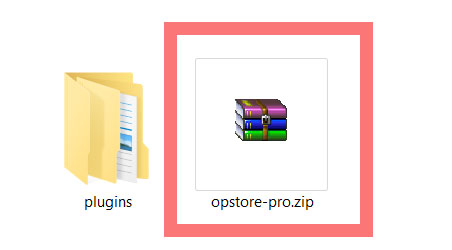
The above images are just an example of the theme bundle and actual installable theme zip file.

This is common error while installing premium WordPress themes, if you follow the above mentioned steps you can easily fix the error. If you still can’t install the theme after following above steps then there is something wrong with the theme. In such case you should contact the theme author.